Keep your dates straight — privately.
A journal that remembers who you're seeing, what you talked about, and how it felt — before your notes app turns into chaos.
- Partner profiles with photo, name, and status
- Mood tagging and photos on every entry
- Fast entries with search across people and entries
- Private by design — no account, no ads, no third-party tracking
- Free to journal, forever — paid features are one-time purchases, never subscriptions

Sound familiar?
Juggling multiple people and forgetting what you told whom.
Notes app entries with no structure, no search, no context.
Wanting to remember details — their dog's name, what they said about their job — without a spreadsheet.
Awkward mix-ups from mental note-taking.
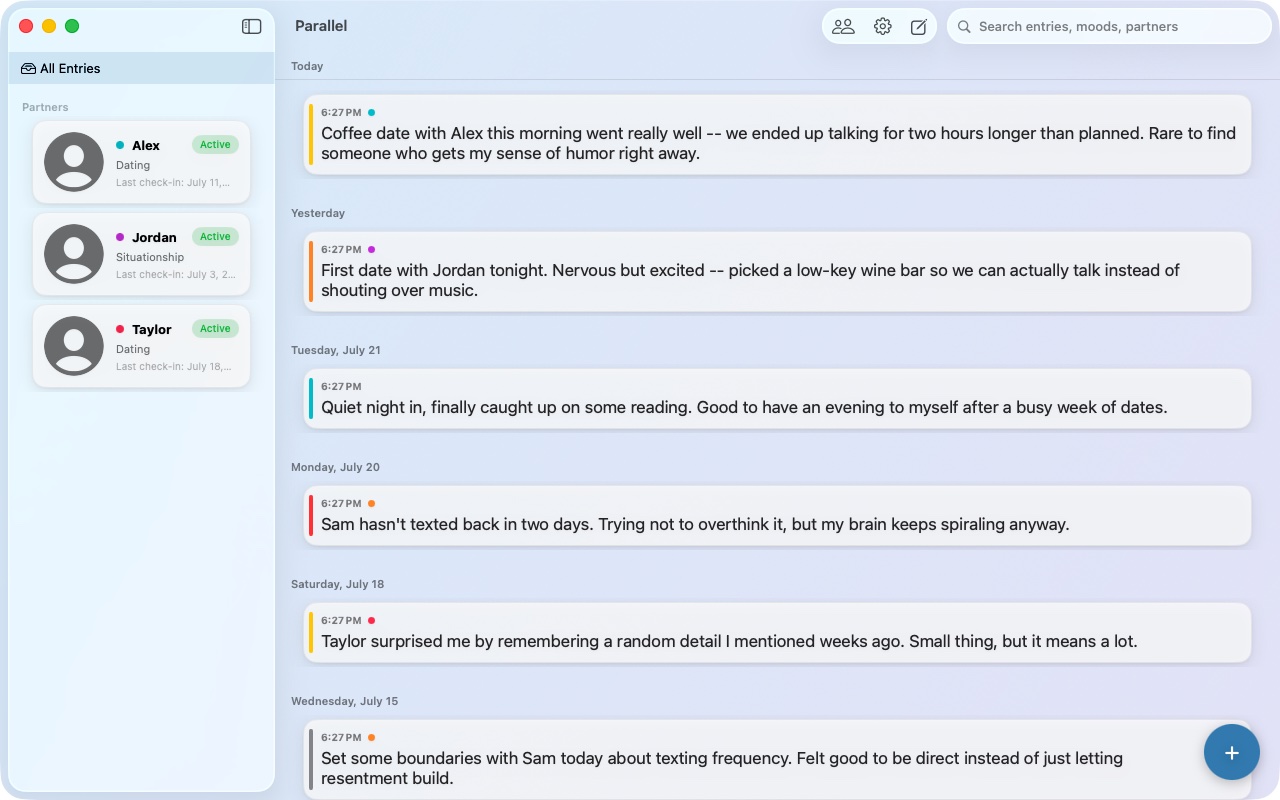
Every entry, right where it belongs.
Write quickly, tag your mood, and attach a photo. Parallel keeps everything organized by date and searchable in seconds — with calming themes that make journaling feel easy.
- Fast, distraction-free entries
- Mood tagging with fully custom colors
- Attach photos to any entry
- Search across entries, moods, and partners
- Calming built-in themes, or make your own

Built to keep it straight.
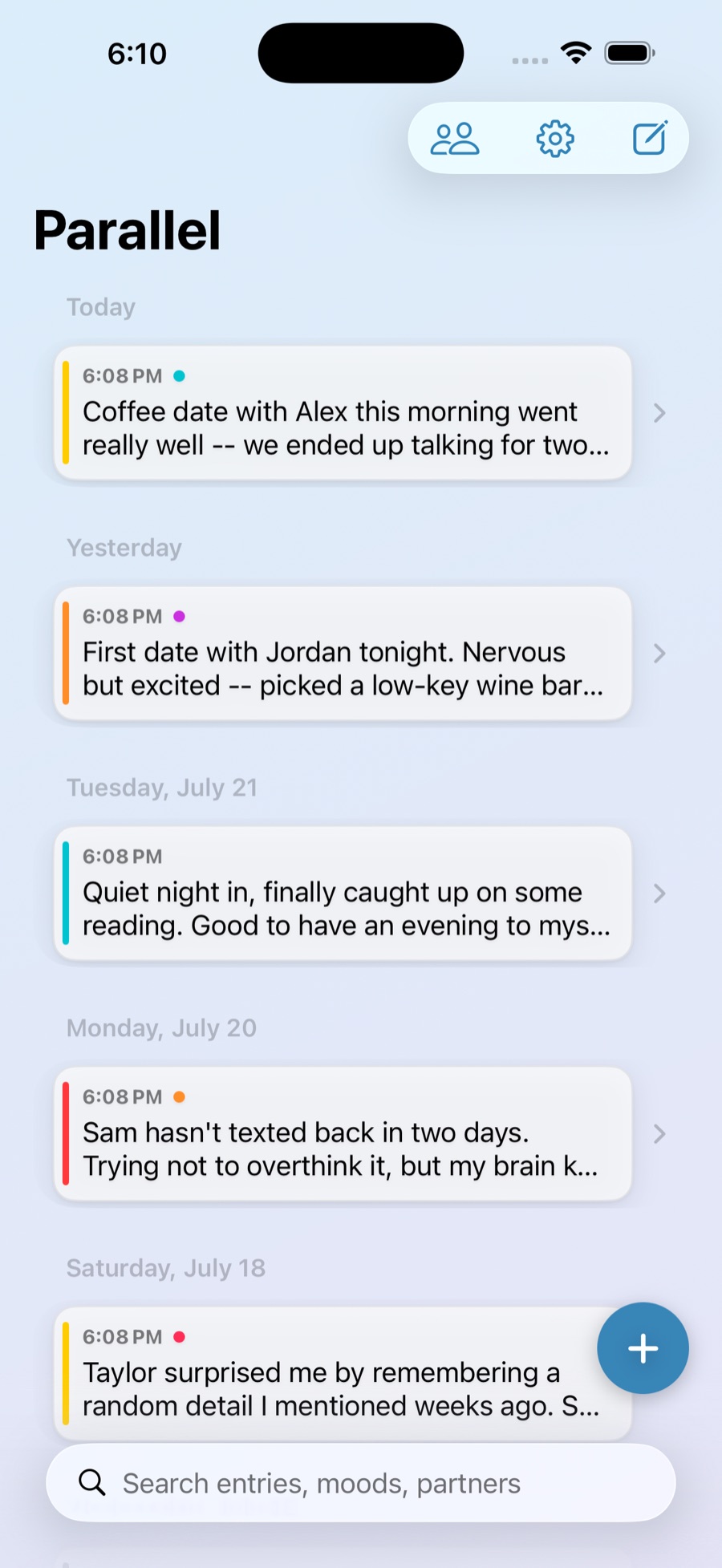
Whether you're seeing one person or five, Relationship Mode keeps every date organized under its own profile — so nothing gets mixed up.
- Partner profiles — name, photo, and status like Dating or Situationship
- Mood tagging on every entry
- Fast entries with search across people and entries
- Attach photos to any entry
Private by design.
Parallel stores your journal on your device and syncs it privately across your Apple devices using your own iCloud account. It's your data — we built Parallel with one rule: keep it that way.
Optional Face ID / Touch ID
Lock the app behind biometric authentication on supported devices, on top of your device's own passcode.
Your iCloud, not our servers
Sync uses your own private iCloud account. Your entries aren't stored on any server we run.
No ads, no tracking
No advertising, no third-party analytics, and nothing sold. Parallel doesn't use any third-party SDKs at all.
No account required
Use Parallel with no sign-up. It syncs automatically using the Apple ID already signed in on your device.
Make it feel like yours.
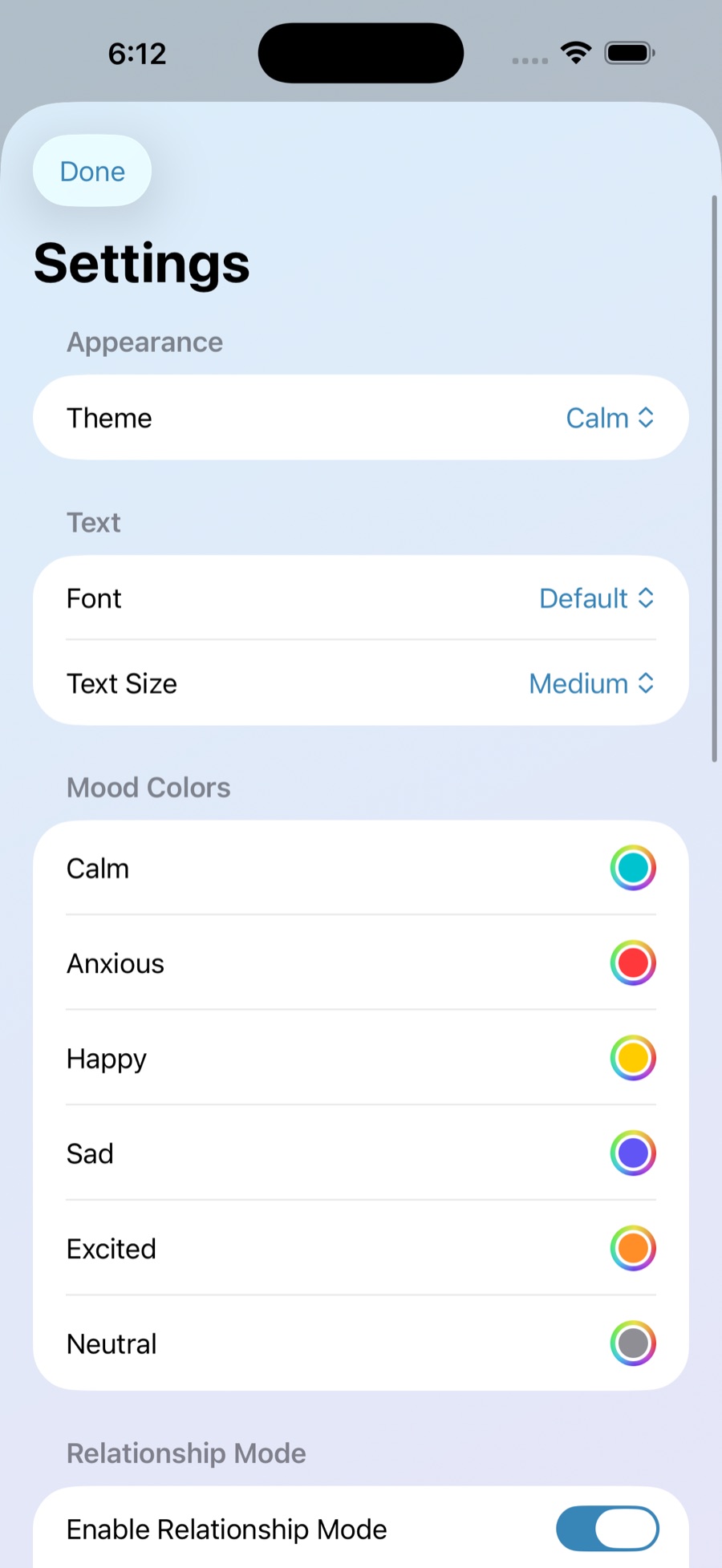
Choose a calming built-in theme or build your own. Adjust fonts and text size, and set custom colors for moods and partners so Parallel looks and feels the way you want it to.
- Calming built-in themes
- Custom fonts and text size
- Fully custom mood colors
- Fully custom partner colors
Your data, always yours.
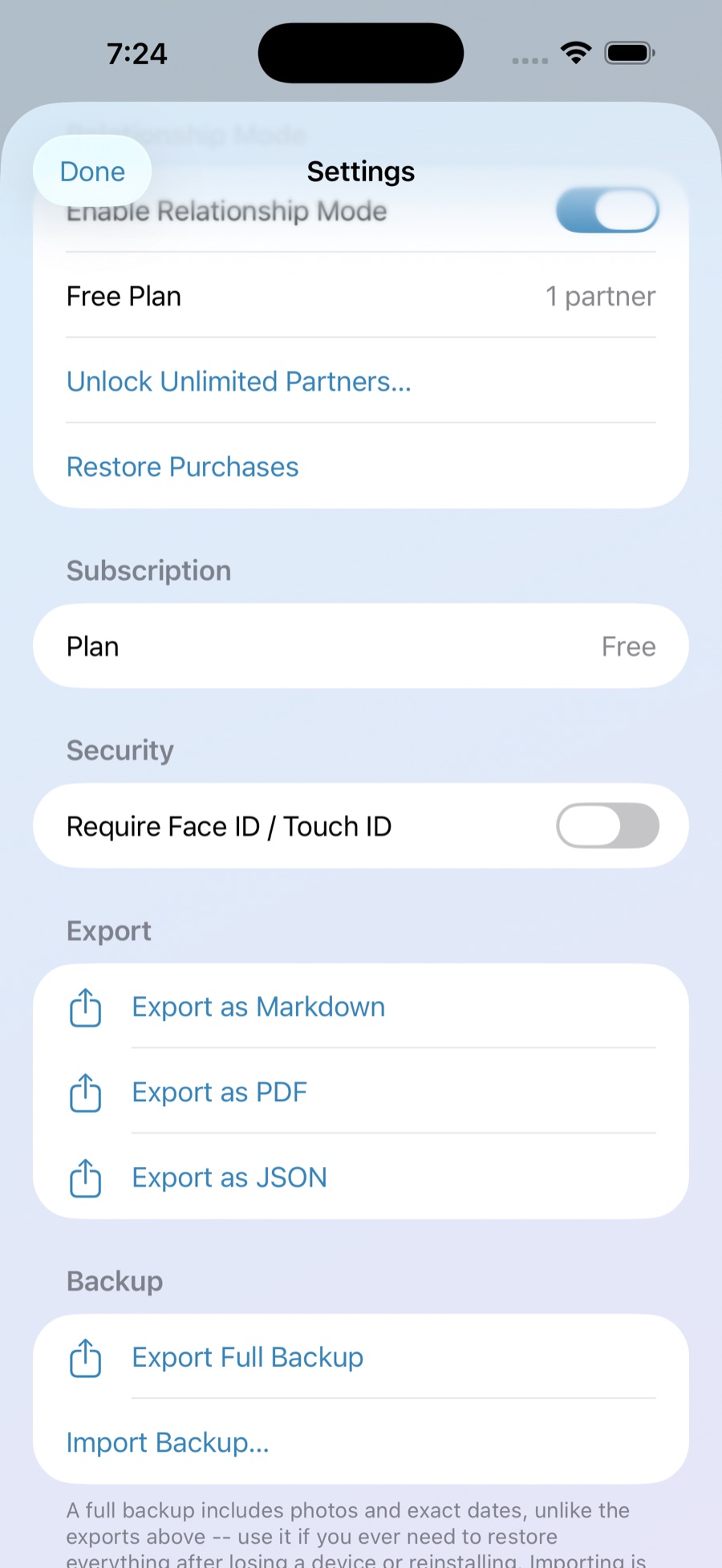
Export your journal anytime, in the format you need, or save a full backup you can restore on any device. Nothing is locked in.
- Export as Markdown, PDF, or JSON
- Full backup, including photos and exact dates
- Import a backup anytime, on any device
- No subscriptions required to access your own data
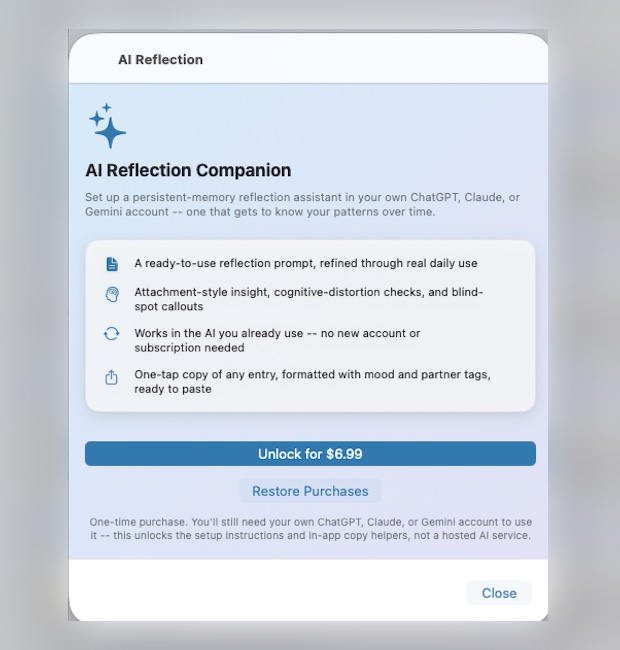
See your patterns, not just your entries.
Set up a persistent-memory reflection assistant in your own ChatGPT, Claude, or Gemini account, then paste your entries in and get honest reflection back — attachment patterns, cognitive distortions, the difference between what happened and the story you're telling yourself, and where you've actually grown.
- A ready-to-use reflection prompt, refined through real daily use
- Attachment-style insight, cognitive-distortion checks, and blind-spot callouts
- Works in the AI you already use — no new account or subscription needed
- One-tap "Copy This Entry," formatted with mood and partner tags, ready to paste
This started as something built for one person, for one hard breakup — and it's stuck around ever since to help navigate the ordinary ups and downs of dating.
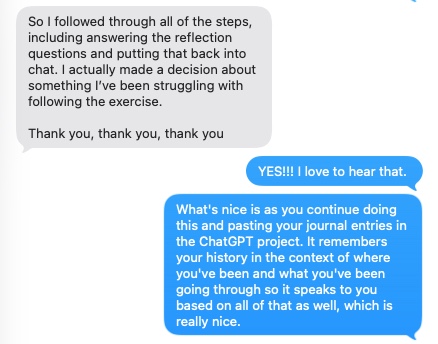
“So I followed through all of the steps, including answering the reflection questions and putting that back into chat. I actually made a decision about something I’ve been struggling with following the exercise. Thank you, thank you, thank you.”
Simple, honest pricing.
No subscriptions for journaling, Relationship Mode, or AI Reflection Companion. Pay once for what you want, or don't pay at all.
Personal Journaling
Forever, with no account required
- Unlimited journal entries
- Mood tags and photos
- Themes and customization
- Export and full backup
Relationship Mode
First partner free. Unlock unlimited partners with a single purchase — not a subscription.
- Everything in Personal Journaling
- Unlimited partner profiles
- Agreements, boundaries & check-ins
- Restore purchases on any device
AI Reflection Companion
Works alongside Personal Journaling or Relationship Mode. Requires your own ChatGPT, Claude, or Gemini account.
- Full & condensed reflection prompts
- Setup guide for ChatGPT, Claude & Gemini
- One-tap "Copy This Entry" formatting
- No subscription, no new account with us
Questions, answered.
Do I need to create an account?
No. Parallel doesn't have a custom account system. It syncs using the Apple ID already signed in on your device.
Is my journal actually private?
Yes. Your entries are stored on your device and synced to your own private iCloud account — not on any server we operate. We don't sell or share your data, and Parallel doesn't use advertising or third-party analytics.
Does Parallel support Face ID or Touch ID?
Yes. You can require Face ID or Touch ID to open the app, in addition to your device's own lock screen security.
How do backups and restoring work?
Use Settings to export a full backup, including photos and exact dates, or export your entries as Markdown, PDF, or JSON. Import a backup anytime to restore your journal on a new device.
I already bought unlimited partners. Do I have to pay again on my other device?
No. Use Restore Purchases in Settings on any device signed in with the same Apple ID.
Is Relationship Mode only for polyamory or ENM?
Not at all. Relationship Mode works for anyone dating casually, practicing ethical non-monogamy, exploring polyamory, or in a single long-term relationship — really, anyone who wants their journal organized around the people in their life, not just the calendar.
What is the AI Reflection Companion?
A one-time $6.99 unlock that gives you setup instructions for a reflection assistant inside your own ChatGPT, Claude, or Gemini account, the full reflection prompt to use there, and a one-tap "Copy This Entry" button that formats any entry for pasting in. Parallel doesn't run or host any AI itself.
Does Parallel send my journal entries to an AI service?
No. Parallel never transmits your entries anywhere. "Copy This Entry" copies formatted text to your device's clipboard — what you paste into ChatGPT, Claude, or Gemini, and what happens to it after that, is between you and that provider, governed by their privacy policy, not ours.
Do I need to pay for ChatGPT, Claude, or Gemini too?
Not necessarily — the free tier of most of these tools works fine for this. AI Reflection Companion unlocks the setup and prompts inside Parallel; the AI conversation itself happens in an account you already control.
What devices does Parallel work on?
iPhone, iPad, and Mac, with entries syncing privately between them through your own iCloud account.